Computer-use agents: how to evaluate desktop automation
A guide to evaluating visual agents through state, actions, recovery, confirmations, and verifiable outcomes before automating software without an API.
- Published
- October 2, 2026
- min read
- 7 min read
- Categoría
- AI Systems
On this page
9 chapters- 01Automating an interface is not the same as completing a process
- 02The mechanism: observe, act, and observe again
- 031. Define the contract and the visual boundary
- 042. Evaluate states, not coordinates or happy paths
- 053. Separate reversible, sensitive, and irreversible actions
- 064. Design idempotency, recovery, and human handoff
- 075. Measure outcome, trajectory, and avoided harm
- 08Isolate the environment before expanding autonomy
- 09The decision: automate the gap, not the entire system
Chapter 01
Automating an interface is not the same as completing a process
A computer-use agent can read a screen, locate controls, and operate a mouse and keyboard. That capability opens legacy systems, internal applications, and desktop tools that expose no API, CLI, or MCP integration. It also changes the unit of risk: a structured call usually declares its operation and parameters; a graphical interface forces the agent to infer visible state, choose a control, and decide whether the next screen means success. A correct click on the wrong screen is still a failure.
On October 1, 2026, GitHub announced the public preview of computer use in GitHub Copilot CLI and the Copilot app for macOS and Windows. It can read accessible content and visual context, click, type, scroll, drag, and navigate workflows across applications. The news arrived one Lima calendar day before this article. It is a significant expansion of the action surface, not evidence that every desktop process is now reliable or should run unsupervised.
Chapter 02
The mechanism: observe, act, and observe again
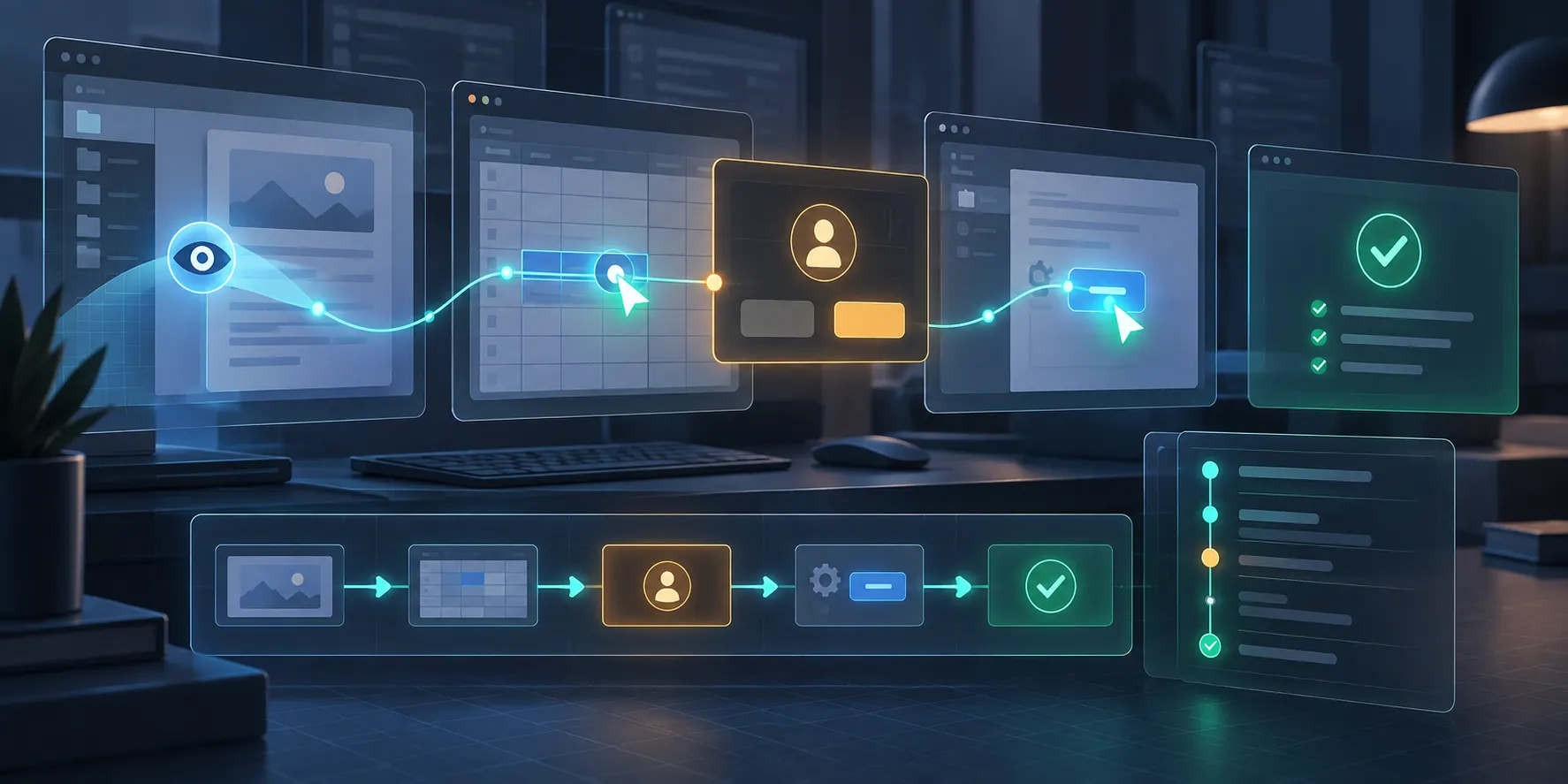
The useful loop is not merely “look and click”; it observes a state, proposes a bounded action, executes it, and reads the resulting state. Observation can combine the operating system's accessibility tree with screenshots when visual context is missing. The action can be a click, text entry, key press, scroll, or drag. Every step changes the available evidence: a modal appears, focus moves, loading takes time, or a notification covers the expected button. The agent must therefore revalidate its preconditions after every meaningful transition.
GitHub's documentation sets a clear boundary: when an API, MCP server, command, filesystem tool, or dedicated browser tool can complete the task directly, it normally provides more structured information and more predictable results. Computer use should be the last-mile adapter for the genuinely visual part, not a universal integration layer. A hybrid architecture can retrieve data through an API, use the GUI only for an unexposed operation, and return to structured verification at the end.
Chapter 03
1. Define the contract and the visual boundary
Before a pilot, describe the process as a verifiable contract: allowed initial state, applications involved, input data, authorized actions, terminal states, timeout, and conditions that require stopping. Separate reading, preparation, and effect. “Process this invoice” is ambiguous; “read the invoice, find an exact vendor, create a draft, and stop before submission” sets a boundary. Also declare which information must never appear in screenshots or move between applications, and which roles may approve the next stage.
Map each stage to the least fragile mechanism. If a vendor can be queried through an API, do not search for it through twenty clicks. If the final form exists only in a Windows application, limit computer use to that screen and provide already validated data. GUI coverage should not be measured by the number of automated screens, but by how much irreducibly visual work remains under control. This decision reduces exposure to layout changes, sensitive context, and states the agent must interpret.
Chapter 04
2. Evaluate states, not coordinates or happy paths
Build an observable state machine for the workflow. At every node, define positive signals, incompatible signals, and the allowed action. A button with the expected text is insufficient when it belongs to another window; combine application title, heading, selected entity, visible fields, and absence of a blocking modal. Prefer accessible controls with a name, role, and state. When the agent depends on pixels, add resolution, scale, theme, language, and window-position variants to the evaluation.
Test deliberate perturbations: an expired session, an overlapping banner, differently sorted data, a disabled field, an accidentally repeatable double click, and a slow load. GitHub warns that application versions, operating systems, window states, and timing changes can lead to the wrong control, repeated actions, or inability to continue. In many cases the expected outcome is not “keep trying,” but to identify the unknown state, preserve evidence, and request intervention.
Chapter 05
3. Separate reversible, sensitive, and irreversible actions
Classify actions by impact before choosing permissions. Navigating and opening a record is usually read-only; editing a draft changes data but allows review; sending a payment, publishing, deleting, or contacting another person creates a material effect. Checkpoints belong immediately before the effect and should show the object, destination, and proposed change, not merely at the beginning of the session. An old or generic approval should not cover an action whose context changed five screens later.
GitHub says computer use is disabled by default, follows the permission settings of its host surface, and can deny access, approve it for a session, or save access by application. Deny rules override automatic or saved approvals, and managed policy can disable the feature. Treat “Always allow” as an exception for low-impact applications, not a UX shortcut for email, finance, identity, or systems containing third-party data. Also document how to interrupt an active operation.
Chapter 06
4. Design idempotency, recovery, and human handoff
An interface rarely exposes clear transactional semantics. After a timeout, the agent may not know whether a button created a record or the response is still loading. Retrying by default can duplicate invoices, messages, or requests. Add an external key, visible identifier, or structured query that can reconcile the effect before a retry. If none exists, define an “uncertain outcome” state that blocks new actions until a person or independent verifier confirms what happened.
The following example is hypothetical. An agent receives an invoice, extracts vendor and amount with a structured tool, opens a desktop ERP, and prepares a draft. Before saving, it verifies vendor, currency, cost center, and document hash; after saving, it reads the assigned ID through an audit query. If an unknown modal appears or the ID does not match, it stops and hands over the screenshot, last valid state, and pending action. It never presses “Pay” because that step belongs to a separate human approver.
Chapter 07
5. Measure outcome, trajectory, and avoided harm
A serious evaluation needs three layers. First, outcome acceptance: correct fields, one unique record, and the expected terminal state. Second, trajectory: applications opened, controls used, retries, time, approvals, and deviations from the allowed path. Third, safety: data exposure, out-of-scope attempts, and blocked material actions. Success is not reaching the end of a demo; it is completing the right case and stopping correctly in cases that must not continue.
Create a versioned set containing normal tasks, edge cases, and content-based attacks. Include ambiguous instructions, visible text that tries to redirect the agent, windows containing sensitive information, duplicate controls, and data that must be rejected. Run repetitions because visual state and timing introduce variability. Report complete acceptance, safe stops, false confirmations, duplicate actions, human intervention, and latency by case class. Do not collapse everything into an average that hides a single severe effect.
Chapter 08
Isolate the environment before expanding autonomy
Screenshots and accessibility trees can contain information from other people or applications. Use a dedicated account and desktop for the pilot, synthetic or masked data, an explicit application allowlist, and minimum file, network, and credential permissions. Do not assume a command sandbox also limits what an authorized application can display or do. GitHub describes local sandboxing as a per-project policy for filesystem, network, and credentials that can become more restrictive under enterprise management; computer use also requires its own permissions.
Start in shadow mode: the agent proposes states and actions without executing them. Then enable reading, followed by reversible preparation, and finally one bounded effect with approval. Review failure examples, not only aggregate metrics, and recertify when the application, operating system, model, or policy changes. The exit condition for a preview is not “it worked several times,” but that you can explain what it observed, what authorized each action, how it detected the result, and how it failed without expanding harm.
Chapter 09
The decision: automate the gap, not the entire system
Computer use matters because it brings software without integrations into an agent's reach. That is precisely why it should remain narrow: choose processes with clear value, reconcilable effects, and observable states; keep APIs and structured tools for everything else. Avoid payments, deletion, credentials, external messaging, or workflows where screenshots expose unnecessary data as a first use case. The visual interface is a powerful compatibility layer, not a transactional guarantee.
The five gates—contract, states, impact, recovery, and evaluation—turn a visual demo into an engineering decision. If the process cannot declare its state, confirm its effect, or stop without repeating it, it is not ready for autonomy. If you need to design a pilot with structured tools, bounded computer use, permissions, and traces, Wasyra's custom agent service can help build that layer. It is an implementation service separate from the product available at agents.wasyra.com.
Written by
Wasyra AI Systems
Trust, copilots, and enterprise adoption
Wasyra AI Systems covers guardrails, suggestion-first modes, and review design so work assistants earn real adoption.
Series
AI systems that actually reach production
A series on agents, copilots, and guardrails for bringing AI into real work without breaking trust or operations.
Posts in this seriesMore from this author
More from this author
AI Systems
HydraFusion: how to evaluate multi-model orchestration
Single, cascade, or critique are not magic shortcuts. Five gates measure quality, cost, latency, isolation, and repository state.
ArticleAI Systems
Claude Sonnet 5.5: calibrate effort without overreach
More reasoning does not always produce a better change. Five gates select effort by task, scope, cost, and accepted outcome.
ArticleKeep reading
Keep reading
AI Systems
HydraFusion: how to evaluate multi-model orchestration
Single, cascade, or critique are not magic shortcuts. Five gates measure quality, cost, latency, isolation, and repository state.
ArticleAI Systems
Claude Sonnet 5.5: calibrate effort without overreach
More reasoning does not always produce a better change. Five gates select effort by task, scope, cost, and accepted outcome.
ArticleAI Systems
Chat-to-code agents: how to preserve context provenance
GitHub connected more Slack and Teams context to executable work. Five controls preserve provenance, scope, and a revocable outcome.
Article